
Summary: Installation and first steps with the Pwnity command-line interface.
Getting Started
Pwnity is designed for high-performance security assessments. The CLI is your main control center.
Installation
Pwnity is currently in development and can be installed via Git. Ensure you have Python 3.8+ installed on your system.
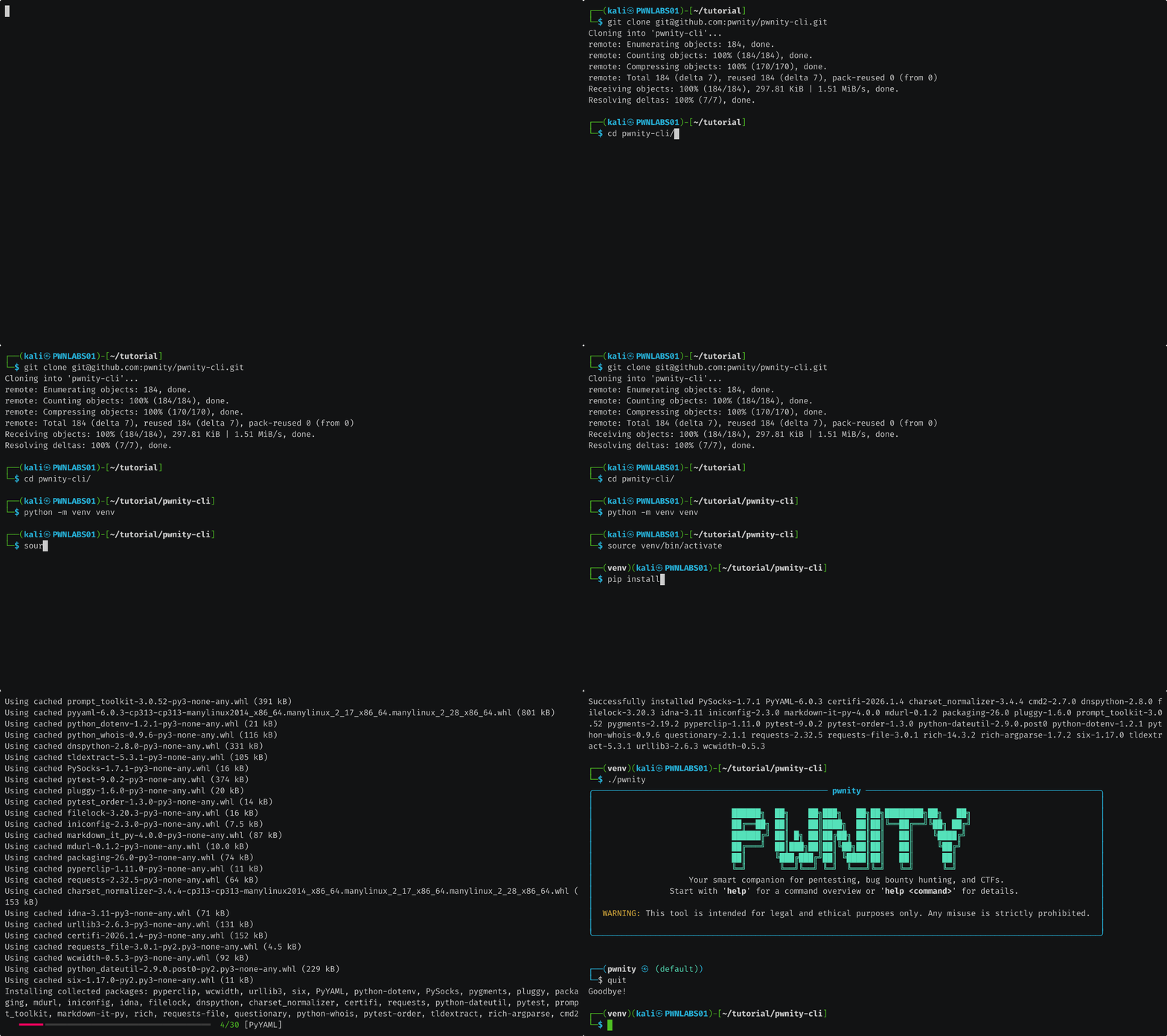
# Clone the repository
git clone https://github.com/pwnity/pwnity-cli.git
cd pwnity-cli

# Setup a virtual environment
python -m venv venv
source venv/bin/activate

# Install dependencies
pip install -r requirements.txt

# Start Pwnity
./pwnity
Your First Session
To start an interactive shell, simply type:
./pwnity
Installation Process
Basic Workflow
- Add a Target: Add what you want to test (
target add your_target). - Load Target: Load it into your session (
target load your_target). - Tool: Load nmap (
tool load nmap). - Execute: Run the command (
pwn quick now).